
04 Front Proxy and Tls
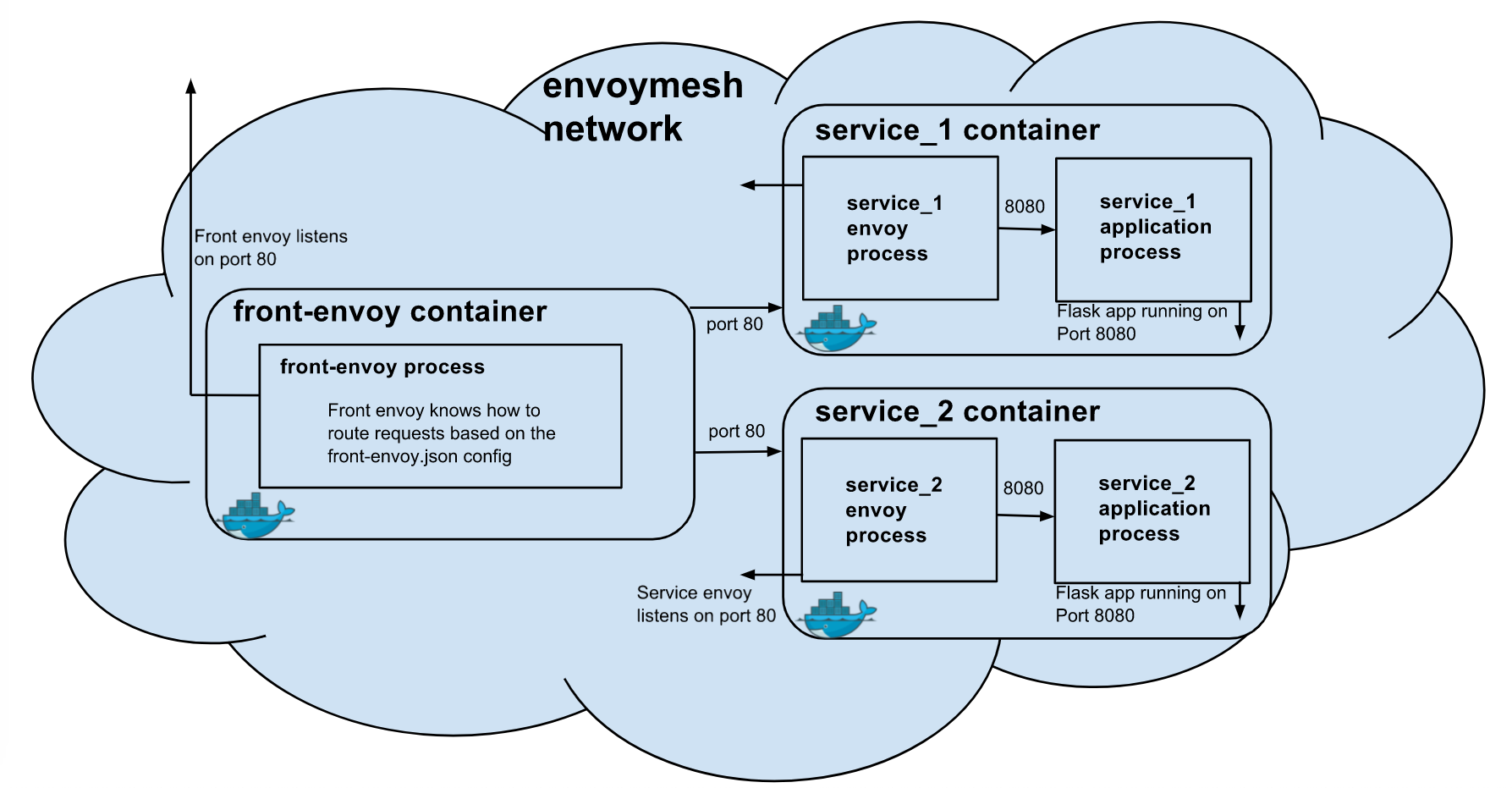
git clone -b v1.11.1 https://github.com/envoyproxy/envoy.git
cd envoy/examples/front-proxy/
docker-compose up
Envoy的listener支持面向下游客户端一侧的TLS会话,并可选地支持验正客户端证书;
listener中用到的数字证书可于配置中静态提供,也可借助于SDS动态获取 ;
listeners: ...
  filter_chains:
  - filters:
      ...
    tls_context:  #v2版本的API配置,v3版本已经发生了变化
      common_tls_context: {}   # 常规证书的相关设置;
        tls_params: {}           # TLS协议版本,加密套件等;
        tls_certificates:        # 用到的证书和私钥文件等;
        - certificate_chain:     # TLS证书链;
            filename: ...        # 证书文件路径;
          private_key:           # 私钥;
            filename: ...        # 私钥文件路径;
          password:              # 私钥口令;
            filename: ...        # 口令文件路径
        tls_certifcate_sds_secret_configs: []  # 要基于SDS API获取TLS会话的相关信息时的配置;
      require_client_certificate: # 是否验正客户端证书;
示例
static_resources:
  listeners:
  - name: listener_http
    address:
      socket_address: { address: 0.0.0.0, port_value: 80 }
    filter_chains:
    - filters:
      - name: envoy.http_connection_manager
        config:
          stat_prefix: ingress_http
          codec_type: AUTO
          route_config:
            name: local_route
            virtual_hosts:
            - name: local_service
              domains: ["*"]
              routes:
              - match: { prefix: "/" }
                redirect:
                  path_redirect: "/"
                  https_redirect: true
          http_filters:
          - name: envoy.router

  - name: listener_https
    address:
      socket_address: { address: 0.0.0.0, port_value: 443 }
    filter_chains:
    - filters:
      - name: envoy.http_connection_manager
        config:
          stat_prefix: ingress_http
          codec_type: AUTO
          route_config:
            name: local_route
            virtual_hosts:
            - name: local_service
              domains: ["*"]
              routes:
              - match: { prefix: "/" }
                route: { cluster: local_service }
          http_filters:
          - name: envoy.router
      tls_context:  #tls相关的配置属于filter_chain属性,与filters平级
        common_tls_context:
          tls_certificates:
          - certificate_chain:
              filename: "/etc/envoy/certs/server.crt"
            private_key:
              filename: "/etc/envoy/certs/server.key"
- 创建自签证书,用户https证书
mkdir certs
openssl req -nodes -new -x509 -keyout certs/server.key -out certs/server.crt -days 365  -subj '/CN=ik8s.io/O=MageEdu LTD./C=CN';
- envoy.yaml配置文件
root@ubuntu1:~/http_ingress-tls# cat envoy.yaml
static_resources:
  listeners:
  - name: listener_http
    address:
      socket_address: { address: 0.0.0.0, port_value: 80 }
    filter_chains:
    - filters:
      - name: envoy.http_connection_manager
        config:
          stat_prefix: ingress_http
          codec_type: AUTO
          route_config:
            name: local_route
            virtual_hosts:
            - name: local_service
              domains: ["*"]
              routes:
              - match: { prefix: "/" }
                redirect:
                  #path_redirect: "/"  #默认自动补充
                  https_redirect: true
                  port_redirect: 8443  #默认值为443。此配置时,http://127.0.0.1:80会301重定向到https://127.0.0.1:8443
          http_filters:
          - name: envoy.router

  - name: listener_https
    address:
      socket_address: { address: 0.0.0.0, port_value: 8443 }
    filter_chains:
    - filters:
      - name: envoy.http_connection_manager
        config:
          stat_prefix: ingress_http
          codec_type: AUTO
          route_config:
            name: local_route
            virtual_hosts:
            - name: local_service
              domains: ["*"]
              routes:
              - match: { prefix: "/" }
                route: { cluster: local_service }
          http_filters:
          - name: envoy.router
      tls_context:  #filter_chain属性,与filters平级
        common_tls_context:
          tls_certificates:
          - certificate_chain:
              filename: "/etc/envoy/certs/server.crt"
            private_key:
              filename: "/etc/envoy/certs/server.key"
  clusters:
  - name: local_service
    connect_timeout: 0.25s
    type: STATIC
    lb_policy: ROUND_ROBIN
    load_assignment:
      cluster_name: local_service
      endpoints:
      - lb_endpoints:
        - endpoint:
            address:
              socket_address: { address: 127.0.0.1, port_value: 8081 }
- 准备dokcerfile
root@ubuntu1:~/http_ingress-tls# cat Dockerfile
FROM envoyproxy/envoy-alpine:v1.11.1
RUN apk update && apk --no-cache add curl
- docker-compose.yaml
root@ubuntu1:~/http_ingress-tls# cat docker-compose.yaml
version: "3"
services:
  envoy:
    #image: envoyproxy/envoy:v1.11.1
    build:
      context: .
      dockerfile: Dockerfile
    container_name: envoy
    network_mode: "service:mainserver"  #共享mainserver的网络名称空间
    volumes:
      - ./envoy.yaml:/etc/envoy/envoy.yaml:ro
      - ./certs:/etc/envoy/certs:ro
    restart: always
    environment:
      TZ: "Asia/Shanghai"
    depends_on:
    - mainserver

  mainserver:
    image: ikubernetes/mini-http-server:v0.3
    networks:
      envoymesh:
        aliases:
        - webserver  #mainserver在当前网络中的dns解析名
        - httpserver
    ports:
    - 80:80
    - 8443:443

networks:
  envoymesh: {}  #创建一个桥接网络
- 测试
root@ubuntu1:~# curl -kL  http://127.0.0.1/hostname  -i
HTTP/1.1 301 Moved Permanently
location: https://127.0.0.1:8443/hostname
date: Sun, 17 Oct 2021 05:24:52 GMT
server: envoy
content-length: 0

HTTP/1.1 200 OK
date: Sun, 17 Oct 2021 05:24:52 GMT
content-length: 24
content-type: text/plain; charset=utf-8
x-envoy-upstream-service-time: 0
server: envoy

Hostname: 7100a5b28898.